For organizations

Create on the phone or at the desk with build in AI assistance

An organization can author tours on a mobile device in the field and in the web portal at a desk. Same publishing pipeline. Travelers hear the finished tour in the free consumer app.

Two places to author. One pipeline.

Capture where the story happened, polish where you write, then publish once.

On your phone

Walk the route, drop stops where you stand, dictate the story, and add photos. Upload, and publish.
No cell or internet connection, no problem — upload later when you have coverage.

  • Name your tour and add a logo or cover image
  • Pick your tour's starting point on the map — like a parking lot or visitor center, so guests know exactly where to begin
  • Add stops locations right where you're standing
  • Place and fine-tune stop locations on the map
  • Tell each stop's story your way — dictate it, type it, or just list the facts
  • Let built-in AI help — it can polish your prose or draft the whole narrative from your facts
  • Add up to 3 photos per stop — from your library or straight from the camera
  • Reorder stops anytime with drag-and-drop
  • Hear it before your guests do — preview any stop in the tour voice
  • Choose guided or explore mode — a set route in order, or wander-and-discover
  • Walking or driving tours — set the travel mode that fits
  • Test the full tour on your phone before anyone else sees it
  • Share instantly by link or QR code
  • List your tour in the public directory — for every nearby traveler to discover
  • Update anytime — fix a typo or swap a photo, and it's live for guests immediately
  • Team access
  • Reuse stops across multiple tours
  • Tour statistics — User ID, stops listened too
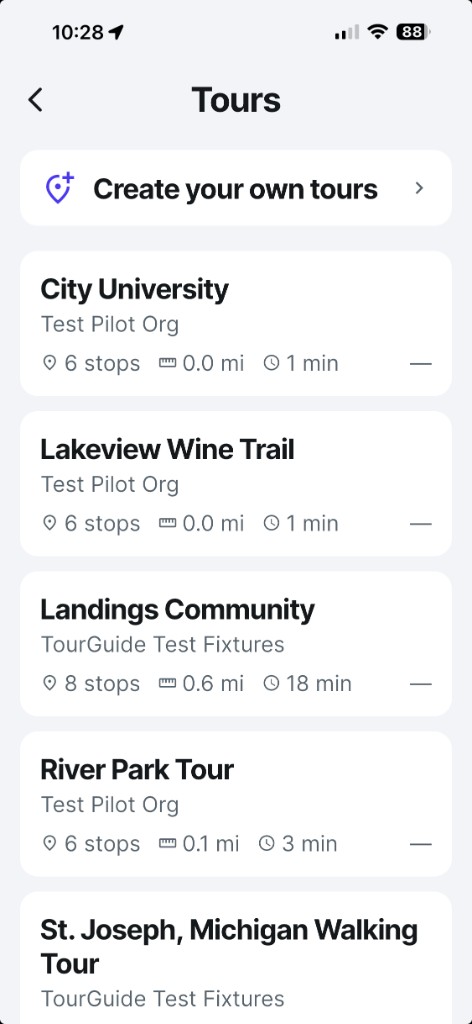
The USTourGuide app Tours list, with a control to create your own tours
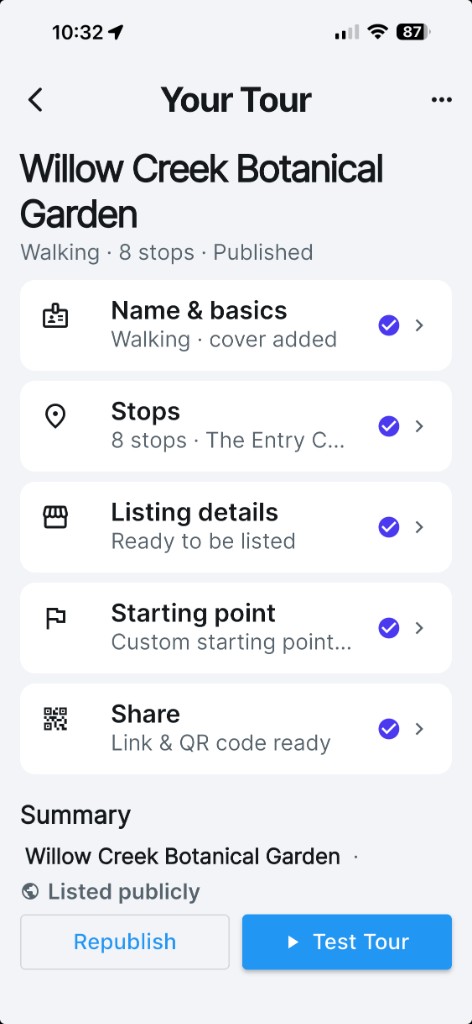
A tour in the USTourGuide app showing stops, listing details, and share status
Authoring on mobile device.

On the web portal

You can create an entire tour from beginning to end without leaving your desk and publish it. Or you can pick up where you left off with your mobile device. Edit the tour at any time.

  • Name your tour and add a logo or cover image
  • Pick your tour's starting point on the map — like a parking lot or visitor center, so guests know exactly where to begin
  • Add stops locations right where you're standing
  • Place and fine-tune stop locations on the map
  • Tell each stop's story your way — dictate it, type it, or just list the facts
  • Let built-in AI help — it can polish your prose or draft the whole narrative from your facts
  • Add up to 3 photos per stop — from your library or straight from the camera
  • Reorder stops anytime with drag-and-drop
  • Hear it before your guests do — preview any stop in the tour voice
  • Choose guided or explore mode — a set route in order, or wander-and-discover
  • Walking or driving tours — set the travel mode that fits
  • Test the full tour on your phone before anyone else sees it
  • Share instantly by link or QR code
  • List your tour in the public directory — for every nearby traveler to discover
  • Update anytime — fix a typo or swap a photo, and it's live for guests immediately
  • Team access
  • Reuse stops across multiple tours
  • Tour statistics — User ID, stops listened too
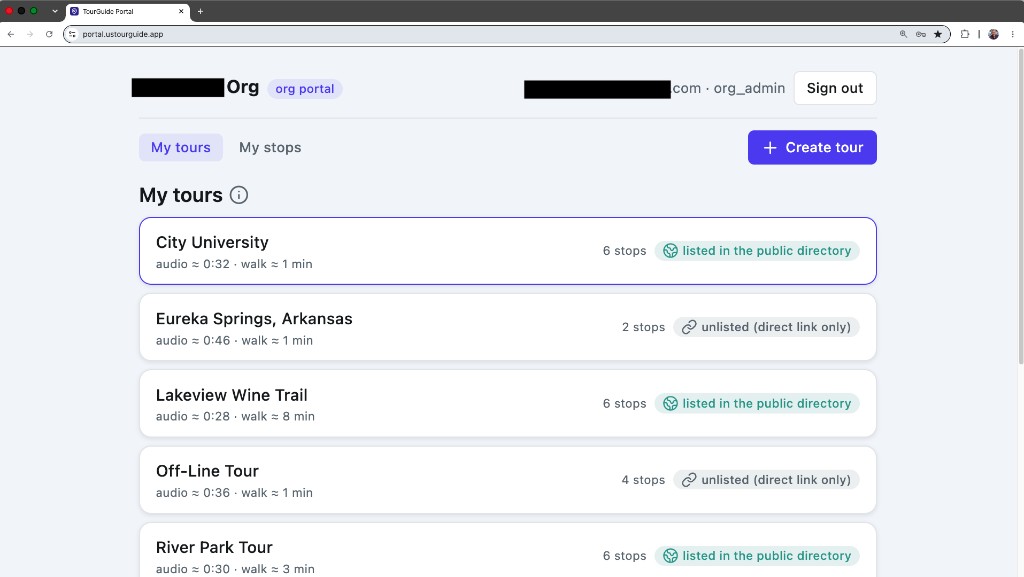
The USTourGuide web portal My tours page, listing tours with public-directory or unlisted status
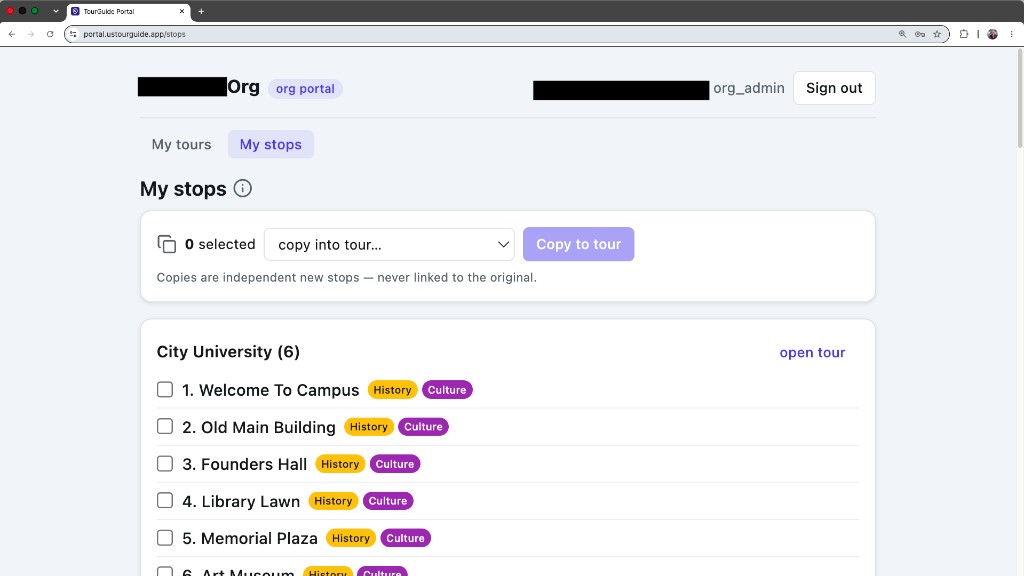
The USTourGuide web portal My stops page, with copy-into-tour controls for reusing stops
Tour management in the web portal.

How they work together

The website and portal may use AI to draft or polish tour text.

1

Field capture

On the phone you can create an entire tour from start to finish but you can also edit and collaborate from your desk.

2

Desk polish

You can do everything on the phone plus reuse stops, collaborate with team members and track statistics from your desk.

3

List or share

Publish into the same pipeline. Travelers take the tour in the free USTourGuide app.

Who gets portal access

The portal is part of Creator, Professional, and Destination. It is not part of Free or Event Pass.

Plan Phone authoring Web portal
Free Personal tours on your own phone Not included
Event Pass One shareable event tour Not included
Creator Included Included
Professional Included Included, with team access
Destination Included By arrangement — contact us

Author in the field.
Finish at the desk.

Contact us to get started Now in beta on Apple — App Store release ahead.